1:1 meeting software built for engineering managers
Walk into every 1:1 knowing what happened last time, what still needs a follow-up, and what deserves attention today.
Sign in with Google or a 6-digit email code. No password, no sign-up form. Private to you.
Why generic notes stop working for recurring 1:1s
A one-on-one is never a standalone meeting. It is one entry in a conversation that runs for months, and a folder of documents does not hold that shape.
- Context ends up scattered across docs, chat threads, and your memory.
- What someone told you six weeks ago is gone by the time it matters.
- Commitments made out loud disappear between meetings.
- Patterns only become obvious once they are a problem.
- You spend the ten minutes before a 1:1 rebuilding context by hand.
Everything you need for better 1:1s
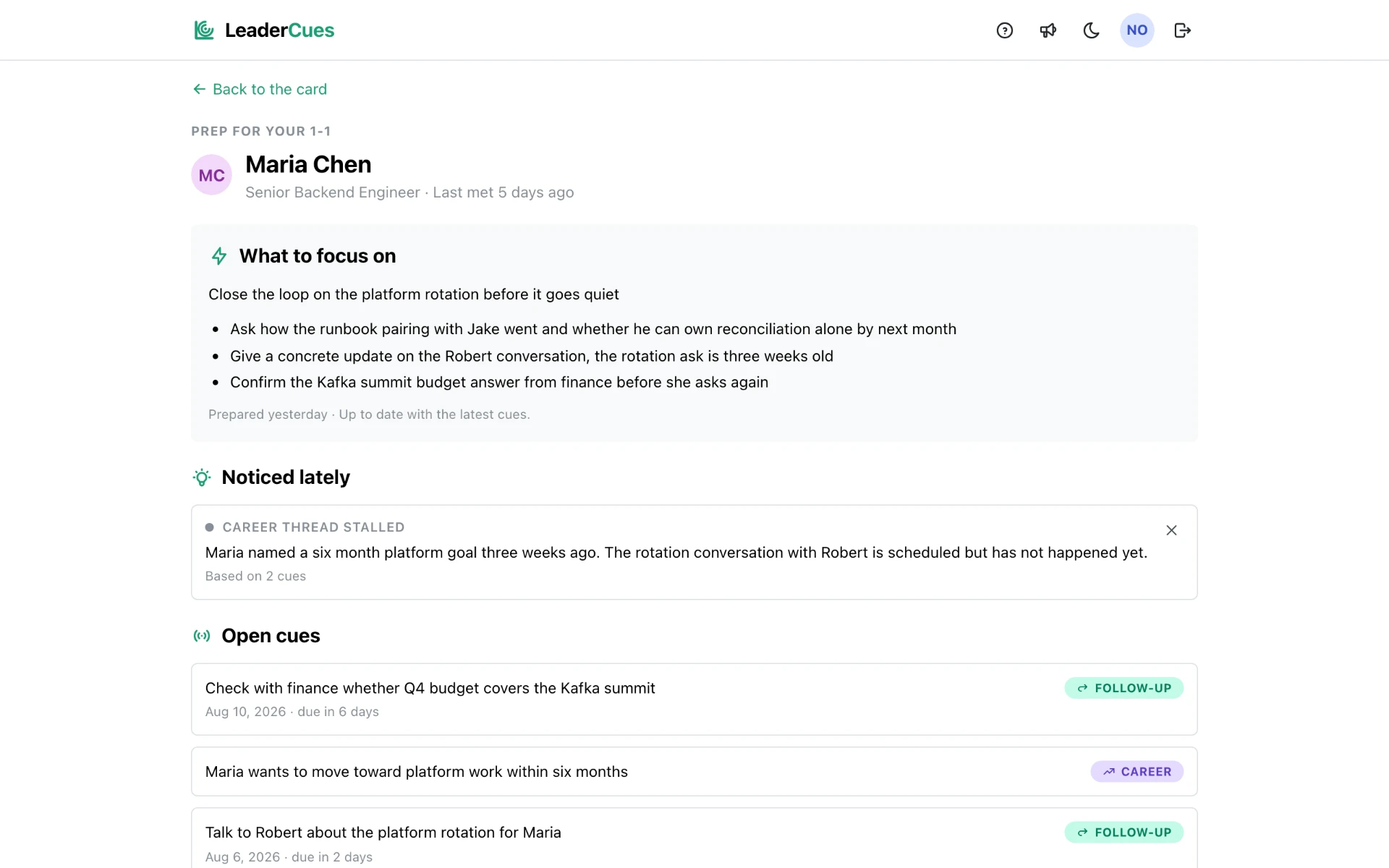
Prepare with context
Before the meeting you get a short prep built from your own notes: what to focus on, open topics, and promises you made.
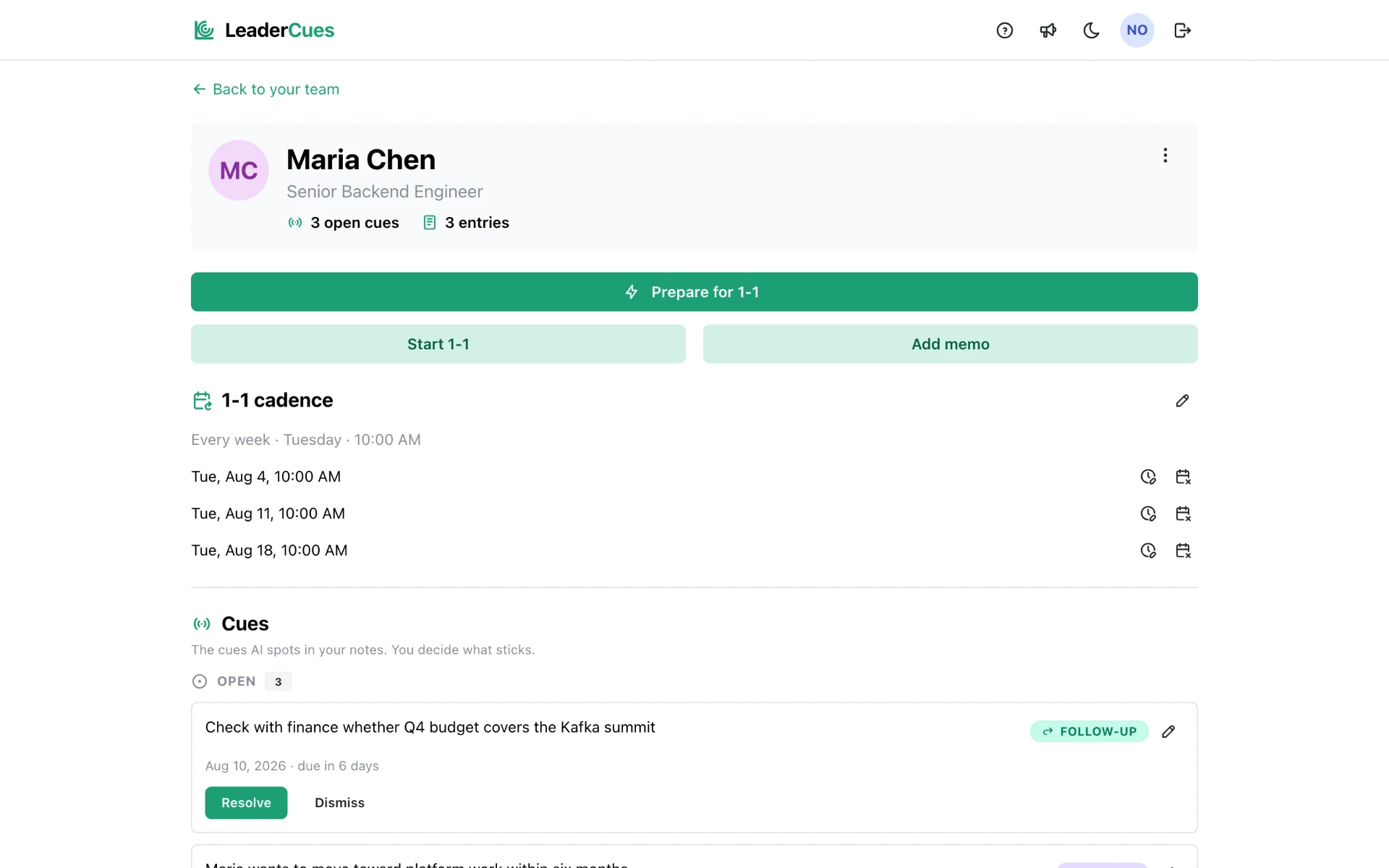
Keep 1:1 history together
One card per person holds notes, meeting history, and cadence, instead of a document per meeting you never reopen.
Never lose a follow-up
Open commitments stay visible between meetings and come back in the next prep until you close them.
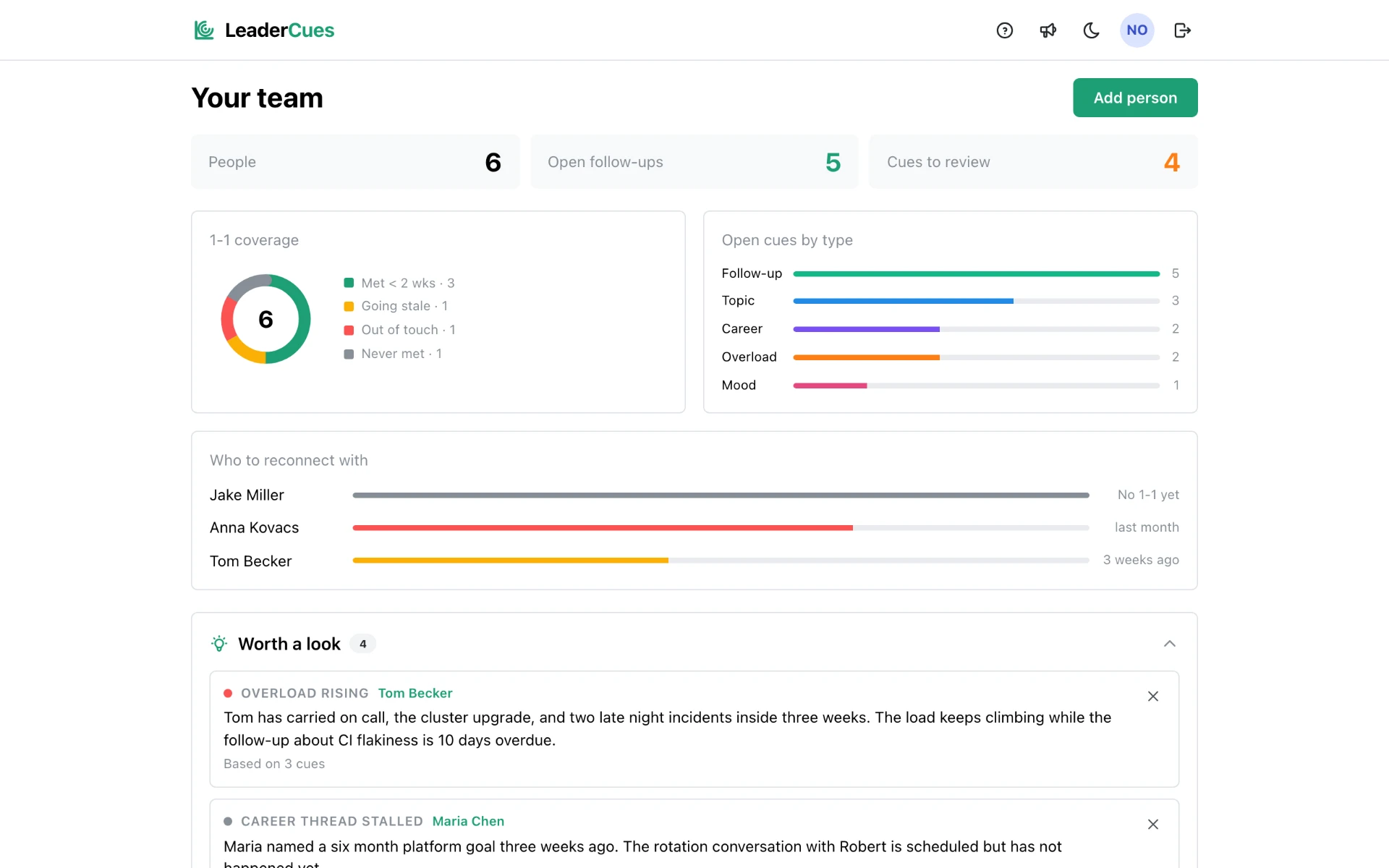
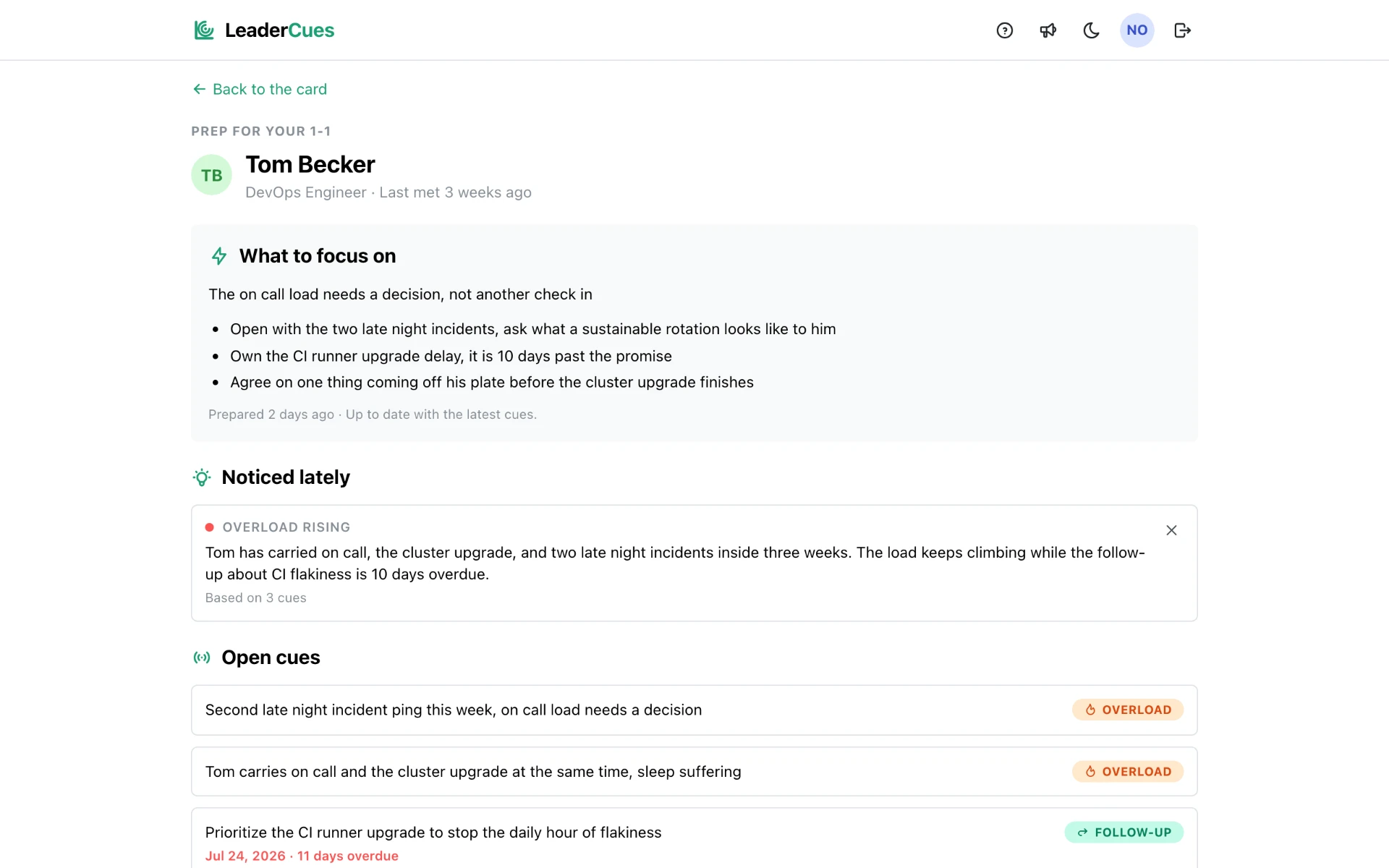
Notice the cues
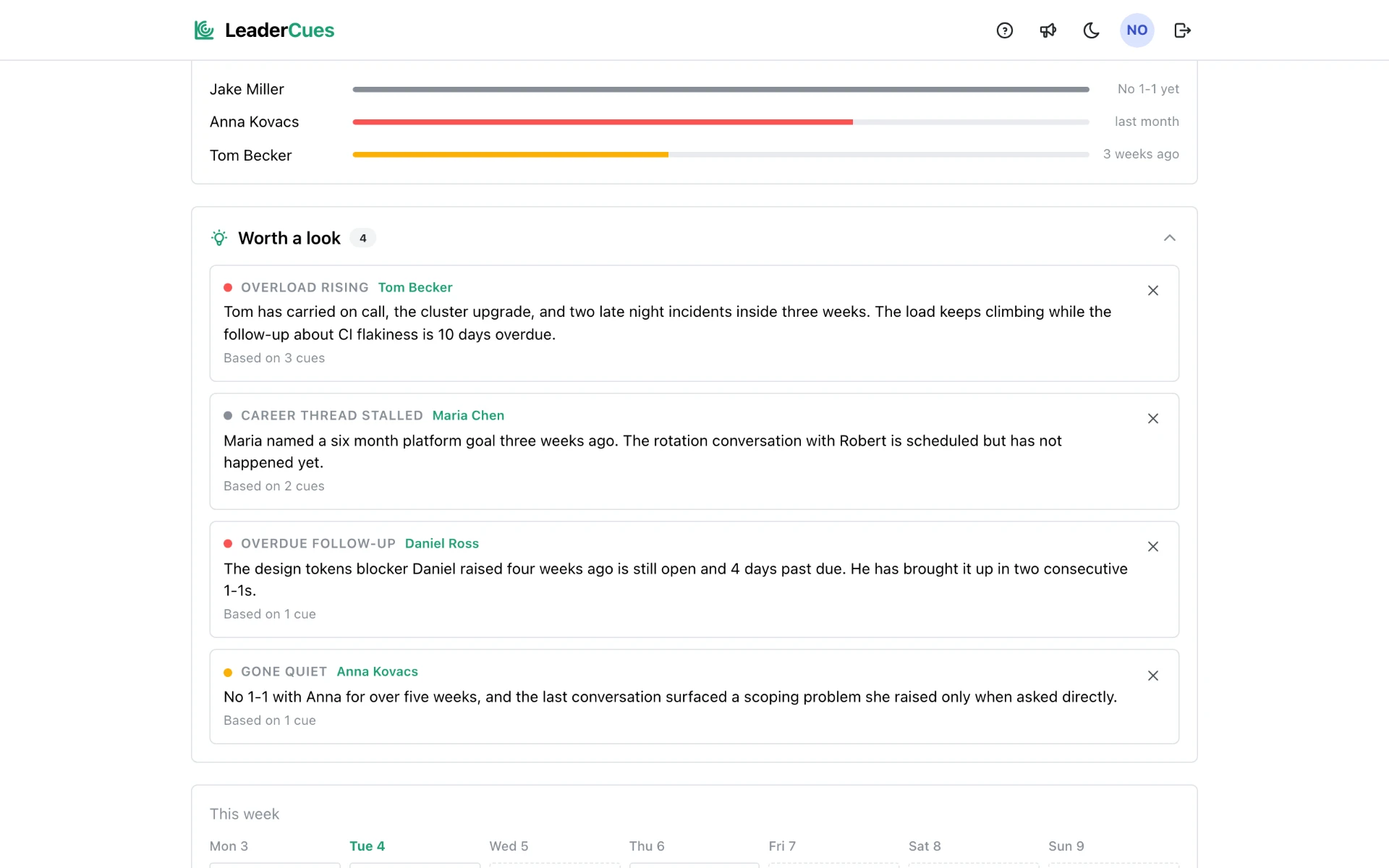
Recurring themes across weeks get surfaced as cues you confirm: rising overload, a stalled career thread, an overdue promise.
Built for recurring 1:1s, not generic meetings
Meeting tools are organized around one event: an agenda, notes, action items, done. That works for a project sync. One-on-ones are different. You talk to the same person every week for years, and the value is in what carries over.
The meeting ends. The context shouldn't.
How it works
- 1
Add your team
Keep each person's 1:1 context in one place.
- 2
Capture what matters
Save notes, topics, follow-ups, and relevant signals as they happen.
- 3
Walk into the next 1:1 prepared
LeaderCues brings previous context and open threads back when they are useful.
Who it's for
One-on-one software for the person running the conversations, not for the org. LeaderCues is private to you: your reports never see it, and there is nothing for them to fill out.
- Engineering managers running weekly or biweekly 1:1s.
- Tech leads who run recurring 1:1s alongside hands-on work.
- Heads of engineering managing a small or growing team.
1:1 resources
- Best 1:1 meeting tools compared
How the main one-on-one tools differ and who each one fits.
- A 1-1 meeting template you can keep to
The structure I use every week without turning it into a script.
- One-on-one meeting questions that get people talking
Questions that work past the first two minutes of small talk.
- How to run effective one-on-one meetings
Cadence, agenda, and what to do with what you hear.
- A one-on-one meeting agenda that survives contact
A loose agenda that leaves room for what the person actually brings.
- Your first 1:1 with a new team member
What to cover before you have any shared history.
- The follow-up problem managers underestimate
Why action items from 1:1s quietly evaporate.
Questions about 1:1 meeting software
- What is 1:1 meeting software?
- It is a tool built around the recurring conversation you have with the same person, not around a single meeting. It keeps notes, open topics, and commitments together for each report, and brings them back before the next 1:1.
- How is 1:1 software different from meeting notes?
- Notes documents are per meeting. LeaderCues keeps everything per person, so what someone said six weeks ago is still there when it matters, and open follow-ups stay visible until you close them.
- Who is LeaderCues designed for?
- Engineering managers, tech leads, and heads of engineering who run recurring one-on-ones with a small or growing team. It is not HR software, performance review software, or an OKR platform.
- Can I use LeaderCues for recurring one-on-one meetings?
- Yes, that is the main use. You set a cadence per person, write a short note after each 1-1, and get a prep built from your own notes before the next one.
- Does LeaderCues replace my existing meeting or calendar tools?
- No. Keep your calendar and your team's meeting tooling. LeaderCues holds your side of the recurring conversation: notes, follow-ups, and the prep before you walk in.
Don't reconstruct the last six weeks before every 1:1
Keep the context between conversations and walk into your next 1:1 prepared.